Skip to content
LaunchKitSearch
ProductsBusiness typesGuidesCartFind my business
Cart
Home›Products›Client Tracker›Cleaning Company
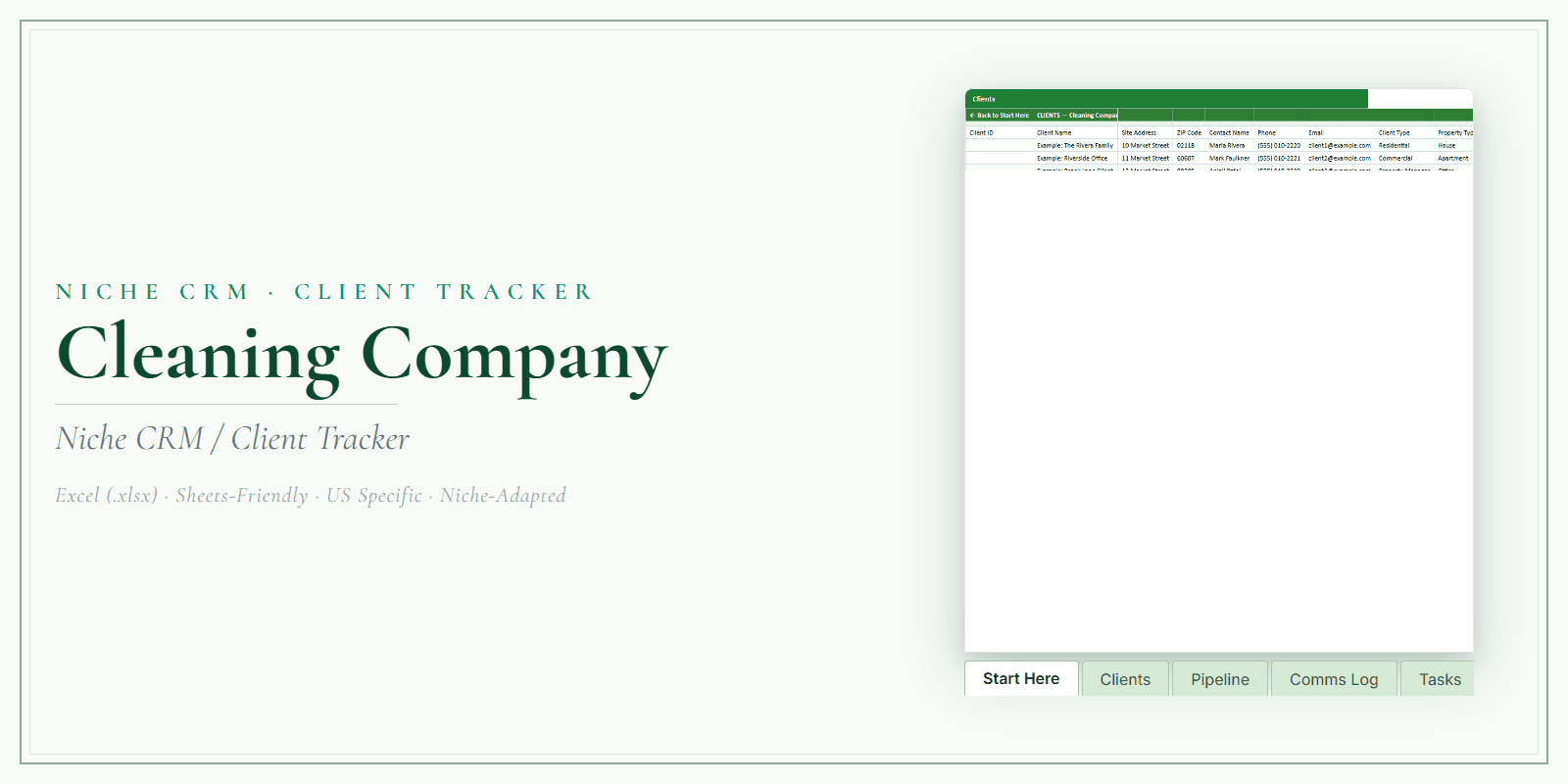
Cleaning Company Client Tracker product preview

Cleaning Company

Cleaning Company Client Tracker

Keep client details, bookings, follow-ups, and revenue together. Use one editable spreadsheet instead of scattered notes.

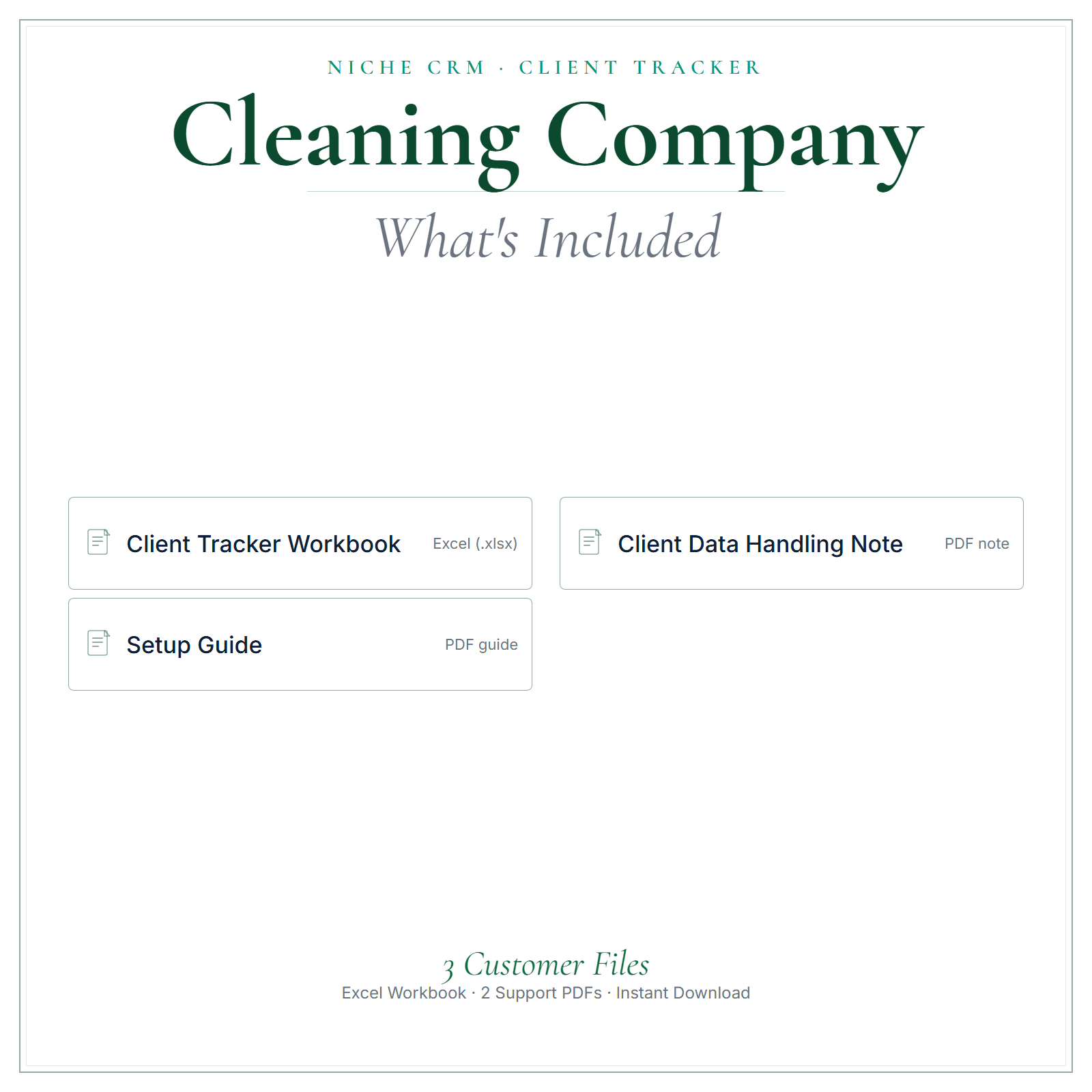
One editable Excel workbook (.xlsx)a Setup Guide PDFa Client Data Handling note PDF (US Letter)

$12.99One-time purchase · USD

Straight to secure checkout · download links emailed after paymentOr add the four core tools as one pack: Cleaning Company Business Starter Stack, $35.00 →Buy more than one product together
See inside ↓

Review and adapt the files for your business. Not legal, tax, or accounting advice.

  • How the files arrive. After payment, a confirmation email containing your download links is sent to the email address you give at checkout.
  • Faulty or not as described? Contact us within 14 days of purchase. Where a file is confirmed defective, we provide a corrected replacement file.
Read the refund policy →

Questions before you buy? Contact us

How LaunchKit products are built

Real-world example

See a real-world example of how the tracker works

A silent walkthrough of the Excel tracker: add a client, log a job, read the KPIs.

Your browser cannot play this video.

Made for the work

Built around cleaning businesses.

Cleaning work produces a lot of small facts: which crew member went to which home, the product a client asked you not to use, the office that wants service after closing, the property manager with several units turning over this month. In this Client Tracker, an editable Excel workbook, those facts stay with the right client, each job and visit is logged, and the people you need to call back sit on one list.

Keep client details, bookings, follow-ups, and revenue together.

Use one editable spreadsheet instead of scattered notes.

Recurring cleans run on details: the entry instructions, the rooms that matter most, the last time a deep clean was done. Keep those in each client's notes, log every visit in their history, and use the follow-up log to turn one-time move-out or deep cleans into regular bookings.

Free guide: How Much to Charge for House Cleaning: 2026 Rates by Hour, Room and Square Foot

Is this for you?

Made for residential and commercial cleaning businesses — from solo cleaners to house-cleaning and office-cleaning teams.

Choose it if you want their client list, job history, and follow-ups in one place they actually keep up to date.

Cleaning Company in practice

How cleaning businesses can use it.

  • ✓Move-out cleans for realtors: note the listing address, the agent's contact and the date of the final walkthrough, so the clean is booked against the right deadline.
  • ✓Office cleaning accounts: record the contact person, the hours you can be on site and which rooms are off limits, so any crew member can read it before arriving.
  • ✓Crew changes: note in the job and visit history who cleaned each time, so when a client mentions something missed you can see who was there.
  • ✓Clients away for the summer or the holidays: mark the paused visits, add the client to the follow-up log, and contact them before their usual restart date.
Start with these

The parts cleaning businesses reach for first.

  • Client recordsHold contact details with notes on pets, products to avoid, the rooms a client cares about most and where to park, written so a new cleaner understands them on the first visit.
  • Job and visit historyLog standard, deep and move-out cleans with dates and the crew member who did each one, so a recurring client's record shows the pattern of their service.
  • Client Data Handling noteThink through what you store, such as alarm codes or lockbox details, and who on your team can see them, using this note as a starting point. Confirm which privacy rules cover your business.

In the pack

What’s included.

  • ✓An editable Excel client tracker workbook (.xlsx)
  • ✓Client records — keep contact details and notes in one organized place
  • ✓Job and visit history so you can see every client's story at a glance
  • ✓A follow-up log so nobody slips through the cracks
  • ✓A dashboard view for a quick read on your activity
  • ✓A Setup Guide (PDF) and a practical Client Data Handling note
What's included in Cleaning Company Client Tracker

A stronger routine

How it helps your business.

  • ✓Keep client details, bookings, and follow-ups together
  • ✓Use the workbook to look back at client history
  • ✓Track revenue in the same spreadsheet
  • ✓Update the fields and categories to suit your workflow
  • ✓Use the included data-handling note as a starting point and check applicable privacy requirements

From file to workflow

How it works.

  1. 1Download links are emailed after payment, then open the workbook in Excel
  2. 2Add your clients and jobs
  3. 3Log follow-ups and check your dashboard as you go

Exact file types

One editable Excel workbook (.xlsx) + a Setup Guide PDF + a Client Data Handling note PDF (US Letter). Edits best in Microsoft Excel.

See inside

See the files before you decide.

Preview the structure, formatting, and presentation of the product. The exact included files are listed above.

Any business or customer names, dates, and amounts in these pictures are examples.

  • A closer look
  • What’s included
  • At a glance
Select a picture to see it larger.

Before you choose

Good to know.

Download links are emailed after payment. It's a spreadsheet you own and control; you decide how you collect and store client data. This is a template/reference product, not legal, tax, accounting, or state-specific advice — review and adapt it for your business before use.

Questions cleaning businesses ask

Using the Cleaning Company Client Tracker.

Should I keep alarm codes and key details in the tracker?

That is your decision, and the Client Data Handling note is there to help you think it through. One approach is to keep access details out of the main workbook, store them separately with tighter control, and put a simple note such as 'key on file' in the client record. Whatever you choose, decide who on your crew can open each file.

Can I log jobs for a property manager with several homes?

Yes. Keep the property manager as one client, list the addresses in their notes, and log each turnover or move-out clean in the job and visit history with the address it was for. One client record then shows every clean you have done for them, which is handy when they ask what was done at a unit and when.

Does it schedule my crew?

No. It is a client record, not a scheduling tool. Keep your schedule wherever it works now, and use the tracker to record who went to each job, what was done and anything the client mentioned afterward. Over time the job and visit history shows which cleaners each client sees most, which helps when you plan routes and cover.

Common questions

Before you buy.

How do I get the files after I pay?

After payment, a confirmation email containing your download links is sent to the email address you give at checkout. Nothing is shipped.

Which file types are included?

One editable Excel workbook (.xlsx) + a Setup Guide PDF + a Client Data Handling note PDF (US Letter). Edits best in Microsoft Excel.

Is this a one-time purchase?

Yes. $12.99 is a one-time purchase, paid in US dollars.

Can I get a refund?

Digital sales are final once the download has started. If a file is faulty or materially different from what this page describes, contact us within 14 days of purchase. Where a file is confirmed defective, we provide a corrected replacement file.

Is this legal, tax, or accounting advice?

No. Review and adapt the files for your business, and get qualified advice where you need it.

Complete your toolkit

Other tools for cleaning businesses.

See all Cleaning Company products and tools →

Pricing CalculatorCleaning Company Pricing Calculator$14.99 one-timeAn editable Excel calculator to work from your costs and build clearer quotes.
View product →Buy more than one product together
AI Copy KitCleaning Company AI Copy Kit$14.99 one-timeReady-to-edit marketing copy and AI prompts for posts, emails, replies, and follow-ups.
View product →Buy more than one product together
Startup GuideCleaning Company Startup Guide$7.99 one-timeA practical PDF guide to help plan setup, pricing, and your first customers.
View product →Buy more than one product together
Price List & Service MenuCleaning Company Price List & Service Menu$4.99 one-timeAn editable price list and service menu for presenting your services and prices clearly.
View product →Buy more than one product together

Add all 4 above with this product for one checkout: $55.95 in total. Download links are emailed after payment.

Keep exploring

More for cleaning businesses.

Other Cleaning Company products

  • Cleaning Company Business Documents — Premium
  • Cleaning Company Pricing Calculator
  • Cleaning Company AI Copy Kit
  • Cleaning Company Startup Guide
  • Cleaning Company Price List & Service Menu
  • Cleaning Company Business Starter Stack
  • All Cleaning Company products and guides

Client Tracker for other businesses

  • Photographer Client Tracker
  • Bakery Client Tracker
  • Plumber Client Tracker
  • Electrician Client Tracker

Free reading

Guides for cleaning businesses.

Free reading on the same subject, written for US small businesses. Every guide is general information, not legal, tax, or accounting advice.

PricingQuote Cleaning Jobs by Labor HoursPrice cleaning jobs from labor hours and real costs, then turn that into a flat quote. Use square footage only as a sketch. Separate first or deep cleans from recurring work, and list extras as…PricingHow Much to Charge for House Cleaning: 2026 Rates by Hour, Room and Square FootAngi's 2026 guide says cleaners charge $25 to $50 per cleaner per hour, and the average clean costs $176 (most pay $118 to $238). It puts a standard clean at $0.10 to $0.20 per square foot. Thumbtack…StartingHow to Start a Cleaning Business: 9 Steps, From License to First ClientPick residential or commercial cleaning, choose a structure, register your name and get a free EIN from the IRS. Check state, county and city license rules, then buy insurance. Price from your time:…

More guides on this subject

  • Small-Business Recordkeeping Checklist: What to Capture Each Week
Read all US small-business guides →

Download your client tracker today and get every client into one clean system.

Straight to secure checkout · download links emailed after paymentOr add the four core tools as one pack: Cleaning Company Business Starter Stack, $35.00 →Buy more than one product together

LaunchKit

Practical digital products made around the needs of US small businesses.

Explore

All productsBusiness typesSmall-business guidesWhat should I charge?Free toolsFind my business

Products

Business DocumentsPricing CalculatorAI Copy KitStartup GuidePrice List & Service MenuClient Tracker

Company

AboutHow it is builtContact usLegal & policies

Legal

Terms of ServicePrivacy PolicyRefund PolicyShipping & delivery

LaunchKit — operated by Kevin from the United Kingdom. office@yourlaunchkit.net

© 2026 LaunchKit